The Technology Behind IPTV: How Live Streaming Actually Works
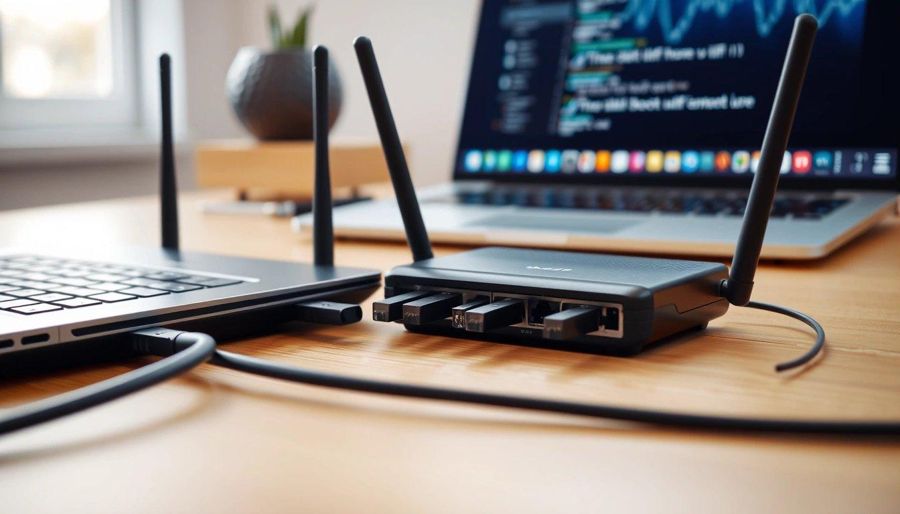
If you have ever shipped a game inside a 13 kilobyte zip, you already think about video the way a streaming engineer does. Every byte has a job. IPTV, short for internet-protocol television, is live TV delivered over the same networks you build web games on, and its pipeline is a stack of engineering decisions you can read like source code. Most coverage jumps straight to channel counts and price, which hides the interesting part.
One practical note first. A legitimate market of licensed IPTV services pays for the content it carries; a separate market of unauthorized apps restreams channels they have no rights to. A comparison resource such as The IPTV Guide, which keeps a shortlist of what it rates as the best iptv service 2026 options, helps viewers pick transparent services over the sketchy ones. This article is about the pipeline, not free channels, and that distinction matters technically as well as legally.
What IPTV Actually Is
IPTV means television signals packaged as IP data and delivered over broadband instead of cable, satellite, or antenna. The screen still shows a channel, but the transport is ordinary internet traffic: your player requests small pieces of video and stitches them into a continuous picture.
A live channel is not a file on a disk. The data is created on the fly as the event happens, so the system must encode, package, and deliver frames in order, with no chance to go back and fix a piece that arrived late.
Encoding and Codecs
Raw video is enormous. An uncompressed HD frame is several megabytes, and there are dozens every second. Nobody ships that over the public internet, so the first job is encoding. It exploits redundancy: most of a frame looks like the one before it, so the encoder stores full reference frames occasionally and, in between, stores only the differences. Transcoding then produces several renditions of the master, from 240p up to 4K, and doing that in real time is compute-heavy.
The codec is the algorithm doing the compressing. H.264 (AVC) has been the default since the mid-2000s; it is no longer the most efficient, but it decodes on nearly every device ever made, so almost every stream still ships it as a fallback. H.265 (HEVC) roughly halves the bitrate for the same quality, though messy patent licensing slowed its adoption. AV1, royalty-free from the Alliance for Open Media, saves about a third of the bandwidth versus H.264, but its encoding is heavy enough that real-time AV1 is harder than HEVC. The hedge is to send AV1 or HEVC where supported and keep H.264 for everyone else.
Packaging and Protocols
Encoding produces compressed video. Packaging decides how it gets chopped into deliverable pieces and described to the player. HLS, Apple’s HTTP Live Streaming, breaks the stream into short segments and lists them in an .m3u8 playlist; the player reads it and requests segments over plain HTTP. MPEG-DASH does the same with a different manifest and Media Source Extensions. Both are adaptive, and both ride on ordinary HTTP, which is exactly why they scale: any web cache or CDN already knows how to serve it.
Packaging everything twice, once for HLS and once for DASH, used to be the norm. CMAF mostly fixed that by letting one set of segments serve both, and low-latency variants shave delay by delivering partial segments before a full one is ready. Game developers already reason about this tradeoff between chunk size, buffering, and responsiveness, a theme the js13kGames community explores in its rundown of key considerations for modern game development where shipping constraints force the same discipline.
Adaptive Bitrate and the Edge
Adaptive bitrate streaming, ABR, is the piece viewers feel without seeing. The player measures how fast segments arrive and how full its buffer is. When throughput looks healthy it requests a higher-quality rendition; when the network sags it drops to a smaller one so playback keeps moving. The logic lives in the player, not the server, which just publishes every rendition and lets each client choose the version that fits.
A single origin cannot answer millions of viewers, so content delivery networks copy segments to edge servers near population centers. Your player talks to a machine a few hops away, cutting round-trip time and lost packets. Because HLS and DASH are just HTTP, an edge node caches a segment once and serves it from memory to everyone nearby. Invest in CDN coverage and you feel it as fast channel changes; skimp and you feel it as rebuffering the moment a crowd tunes in.
Latency, Safety, and What Developers Can Borrow
Latency is the gap between an event and you seeing it. Every stage adds to it, and the player deliberately holds a few seconds of buffer in case the next segment is late. That buffer is why traditional HLS can run 10 to 30 seconds behind live; cut it too aggressively and any hiccup becomes a stall. Sports push toward low-latency protocols and, at the extreme, WebRTC for sub-second delivery. There is no free lunch, only a budget you spend deliberately.
Here the technical story and the safety story meet. Licensed content arrives wrapped in DRM that hands a decryption key only to an authenticated player, and geographic limits exist because broadcast rights are sold by territory. Unauthorized apps skip all of that and restream feeds they have no right to carry. The shortcuts show: no proper DRM, no accountable CDN, no support, no recourse when the stream goes dark. Such apps are also a common malware vector and a real risk to your payment details.
The whole stack is constraint-driven design, the same instinct behind squeezing a game into 13 kilobytes: ABR is graceful degradation, CMAF is deduplication, edge caching is memoization at planetary scale. If you build for the web, the same Media Source Extensions that power DASH players let you generate media streams from JavaScript, and Mozilla’s reference on livestreaming web audio and video shows how. Learn the pipeline and you stop complaining about buffering and start naming the stage that failed.
🔙 Back to Articles list.