How to Build a Tiny Basketball Game in JavaScript (JS13K Style!)
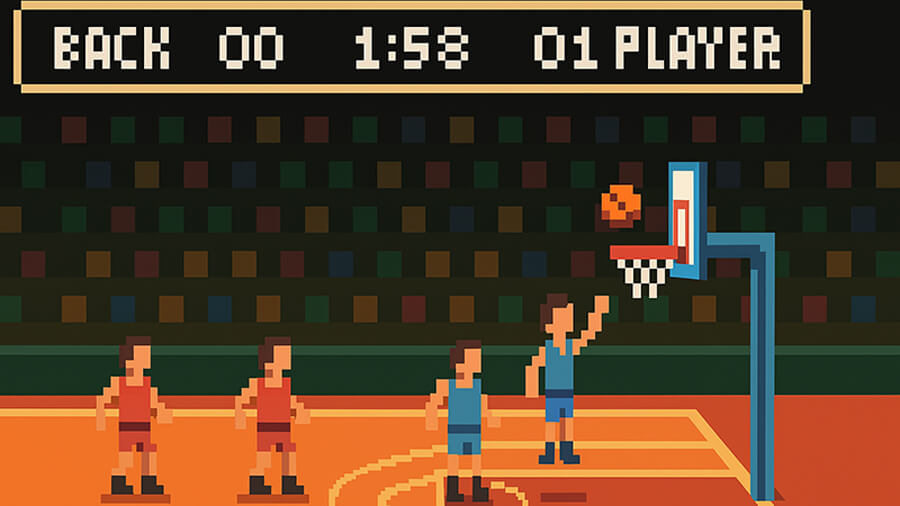
Creating a basketball game in JavaScript might seem daunting, but what if you had to do it in just 13KB? If you have ever wondered whether creating a fully functioning basketball game within such a tight limit is possible, the answer is a resounding yes. It will require clever optimizations, procedural techniques, and a minimalistic approach, but you will be able to bring a fast-paced hoops game to life.
If you are a die-hard basketball fan who frequents the best mobile apps for betting on basketball games, you're probably more used to games offering a more feature-rich experience. These blockbuster games offer realistic physics, deep customization, and online multiplayer. While these games showcase what is possible with more resources, they can also serve as inspiration for a JS13K entry. We can pick the most important elements to recreate a tiny JavaScript game by studying what makes these mobile titles engaging.
Prioritizing the Essentials
Before diving into the nitty-gritty of coding, it is worthwhile to analyze more feature-rich basketball titles and discover what makes them enjoyable. Satisfying shooting mechanics, smooth controls, and an air of unpredictability all help create an excellent experience for the player. Unfortunately, working within a strict 13KB limit means prioritizing what is essential and casting aside anything deemed unnecessary.
You can save a ton of space by not using heavy libraries, bloated animations, and no large image assets. Instead, you will focus on efficient physics calculations, pixel art, and procedural generation. Perfect these, and you are already more than halfway to a stellar tiny basketball game.
Building the Shooting Mechanic
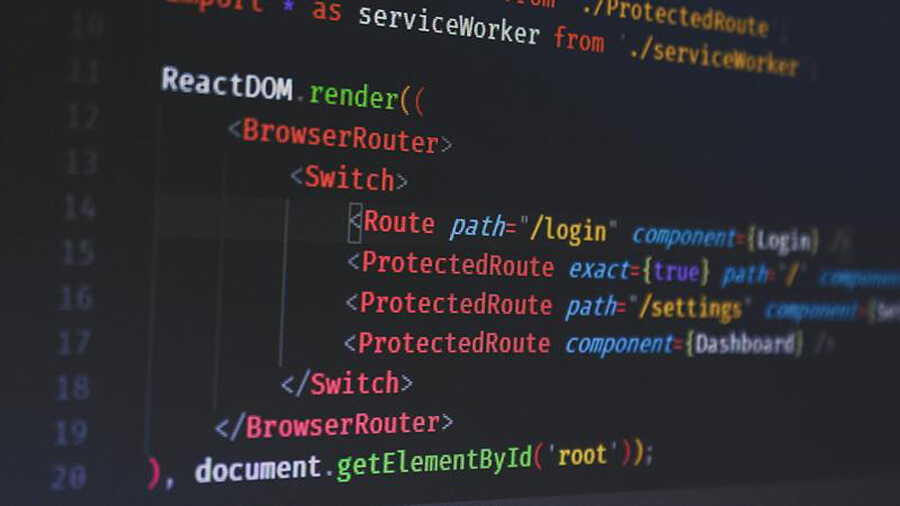
It is a good idea to start with the shooting mechanics because this is arguably the most important part of a basketball game. A basketball shot is a simple projectile motion problem you can solve by modeling the ball's movement using basic physics. Avoiding physics engines like Matter.js and using lightweight functions to handle movement and bounce behavior will save precious space. You can control the ball's arc with a simple parabola equation and create some conditionals to determine whether the ball goes through the hoop or not.
Introducing a flick-based shooting system, where the player swipes or clicks to launch the ball, can make your game more engaging. How do you achieve this? You start by measuring the speed and direction of the input direction and converting that to the ball's initial velocity. It'll take a few attempts and plenty of trial and error, but you should be able to fine-tune the shooting dynamics so that it feels both intuitive and rewarding.
Graphics and Visual Optimization
You also need to be strategic regarding your game's graphics. Image files take up valuable space you don't have if you're sticking to a 13KB limit. With that in mind, consider using the HTML5 Canvas API. Simple shapes like circles and rectangles can represent the ball, hoop, and court, while a minimal color palette helps maintain a clean aesthetic without wasting bytes on unnecessary details. A few lines of JavaScript can help create simple animations, like the ball spinning as it travels, adding a layer of authenticity to your game.
Using Procedural Generation
Procedural generation will be your best friend if you are coding a basketball game with a 13KB limit. Generating everything on the fly using algorithms negates the need to store multiple levels or predrawn assets. In the case of a basketball game, you can randomize elements such as the hoop's position, wind speed, or court designs. This will keep the game fresh for users while eliminating the need for large, static, space-sapping assets.
Sound Design Without Large Files
Sound effects can make all the difference to a gamer's experience, but traditional audio files are far too large to contemplate here. Using Web Audio API, we can generate simple sound effects dynamically, such as a swish sound when the ball goes through the hoop or a bounce effect when it hits the rim. A simple yet relevant sound can keep the player engaged throughout their session.
Adding Challenges and AI Opponents
AI-controlled opponents are probably out of the question if you stick to a hard 13KB limit, but you can still incorporate some challenges to keep things fresh. Static challenges like making shots from different positions, beating a timer, or hitting a moving target can all increase engagement. Similarly, a high-score system using local storage would allow players to compete against themselves or friends.
Optimizing for the 13KB Limit
Every byte matters when adhering to a 13KB limit, so techniques like removing whitespace, using short variable names, and minifying code can save valuable and much-needed space. In addition, consider using inline functions instead of multiple separate files to reduce overhead. Of course, you can also compress the final JavaScript file using tools like Terser or UglifyJS if you are really tight on space and want to squeeze out every byte!
The Beauty of Constraints
A well-crafted and exciting basketball game can still offer a surprising amount of depth despite a tight size limit. Getting it right is akin to performing a balancing act. You must find the right balance of interactivity, physics, and procedural elements if you want to create a game that is engaging and feels polished. The beauty of JS13K is not only about making things as small as possible; it is about making them smart, and that is where creativity thrives and comes into its element.
Why not build your own tiny basketball game using the JS13K rules and guidelines? Start by perfecting basic shooting mechanics and fine-tuning the physics, and then see what features you can squeeze in with the limited space you have left. You never know—you may surprise yourself with how much you can accomplish with so little space.
🔙 Back to Articles list.