Build a 13KB RNG Lab: Visualize randomness like a compliance tester
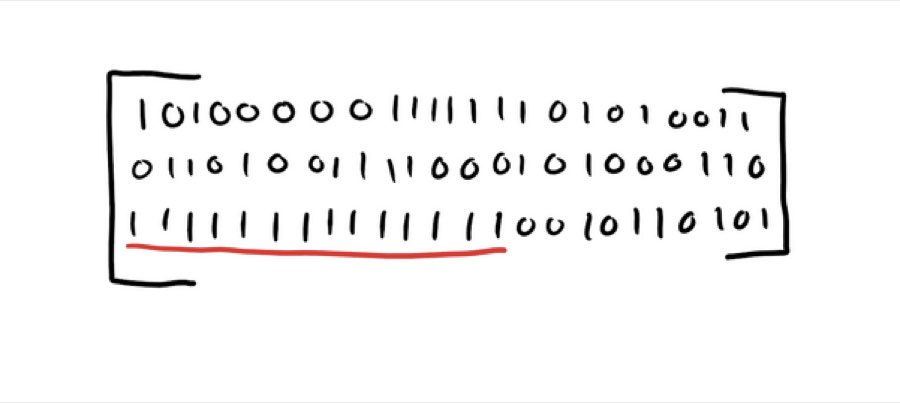
Randomness is one of those topics where humans are consistently bad at intuition. We expect "fair" to look evenly mixed, but real randomness produces clumps, streaks, and weird-looking runs all the time. An RNG Lab gives you a quick reality check: you generate lots of outcomes and visualize what your RNG is doing.
Doing this as a js13k-style tool is especially useful because you're forced to be clear and efficient: one self-contained file, minimal UI, and only the most informative metrics. That constraint tends to produce better debugging tools (and better explanations) than a big dashboard.
In licensing discussions like in the NetticasinoHEX guide MGA Casinot you'll often see the same core idea repeated: regulated real-money products depend on independent verification and repeatable test processes. Your 13KB RNG Lab isn't a certification (and shouldn't claim to be), but it does help you adopt the same mindset: prove your implementation is sane, reproduce "bad runs" reliably, and catch bias caused by mapping mistakes.
What "compliance-style thinking" looks like
Real compliance testing is bigger than a histogram, but the mindset is simple:
- Is the RNG implementation sound? (no obvious bias, predictable patterns, or broken seeding)
- Is it integrated correctly? (RNG used consistently in the actual game flow - not reset each spin, not reused incorrectly)
- Can results be reproduced for audits/debugging? (controlled environments, test seeds, versioning)
For example, MGA documentation for new game approval enclosures references an RNG test certificate from an independent EU/EEA-based testing lab as part of required documentation. Your 13KB RNG Lab won't replace that—but it will help you catch common mistakes early.
What your 13KB RNG Lab should measure
To keep it useful (and small), focus on three "high signal" checks:
1) Uniformity (Histogram)
If you map RNG values into N outcomes, counts should be roughly even over many samples. You're looking for big skew, not perfect flatness.
2) Streaks (Run Lengths)
Players dramatically underestimate streak frequency. Your lab should show:
- longest streak (e.g., longest run of "loss")
- run-length distribution (how many runs of length 1, 2, 3, …)
3) Integer mapping sanity (Bias demos)
A surprising amount of bias comes from how you turn a float into an integer outcome (especially with % and uneven ranges).
Step-by-step: build the lab as a single index.html
A good minimal layout:
- Seed input (number)
- Samples slider (1k → 100k)
- Test selector (Uniformity / Streaks / Bias Demo)
- "Run" button
- One
<canvas>for all visuals - A small text panel for metrics
Step 1: Use a seeded PRNG (tiny, repeatable)
A compact seeded PRNG like Mulberry32 is perfect for learning/debugging:
function mulberry32(a){
  return function(){
    a |= 0; a = a + 0x6D2B79F5 | 0;
    var t = Math.imul(a ^ a >>> 15, 1 | a);
    t ^= t + Math.imul(t ^ t >>> 7, 61 | t);
    return ((t ^ t >>> 14) >>> 0) / 4294967296;
  }
}
Why seeded matters: you can reproduce a "cursed run," share it, and confirm your code path is stable.
Step 2: Map floats to outcomes without accidental bias
If you need an integer 0..(n-1), this is fine for most learning demos:
function randInt(rng, n){
  return (rng() * n) | 0;
}
But if you're demonstrating bias pitfalls, add a "bad mapping" toggle, like:
function badInt(rng){
  return ((rng() * 100) | 0) % 6; // intentionally questionable demo
}
Then show the histogram difference between "good" and "bad." This is where your article becomes practically helpful.
Step 3: Uniformity test (counts + max deviation)
function uniformityTest(rng, bins, samples){
  const c = new Uint32Array(bins);
  for(let i=0;i<samples;i++) c[(rng()*bins)|0]++;
  const exp = samples / bins;
  let maxDev = 0;
  for(let i=0;i<bins;i++){
    const dev = Math.abs(c[i] - exp);
    if(dev > maxDev) maxDev = dev;
  }
  return {c, exp, maxDev};
}
In the UI, display:
expected per binmax deviation- (optional) simple "warning" if deviation is wildly large
Step 4: Streak test (the "rigged" antidote)
function streakTest(rng, samples, p=0.5){
  let cur = 0, longest = 0, last = -1;
  const runs = new Uint32Array(64); // run lengths up to 63
  for(let i=0;i<samples;i++){
    const v = rng() < p ? 1 : 0;
    if(v === last) cur++;
    else{
      if(cur>0) runs[Math.min(cur,63)]++;
      cur = 1; last = v;
    }
    if(cur > longest) longest = cur;
  }
  runs[Math.min(cur,63)]++;
  return {runs, longest};
}
What to explain in the article:
- Long streaks are not proof of bias.
- The distribution of streak lengths is what you sanity-check.
Step 5: Draw everything on one canvas (small + fast)
Canvas is your best friend in 13KB because it avoids heavy DOM UI. One generic bar chart drawer can render histograms and run distributions.
Key trick: normalize bars by the max count; draw axes minimally; show only essential labels.
How to interpret results (what to tell readers)
Make the article genuinely useful by including interpretation rules of thumb:
- Uniformity: slight unevenness is normal; huge and consistent skew is suspicious.
- Streaks: longer streaks appear more often than intuition expects; judge by distribution, not anecdotes.
- Bias demo: if your "bad mapping" visibly skews bins, you've taught the reader something they'll remember.
Also stress the boundary: a 13KB lab is a debugging + education tool, not a compliance certificate. In real-money contexts, jurisdictions may require independent lab testing (MGA's documentation explicitly references an RNG test certificate requirement in its new game approval enclosures).
Staying under 13KB zipped (practical tips that actually work)
Because js13k enforces the 13KB zipped cap and self-contained packaging rules, plan for size from day one.
- One file: HTML + inline JS + minimal CSS
- One canvas renderer for all charts
- Avoid big fonts, images, and large tables
- Reuse arrays, avoid repeated strings
- Minify late; keep readable during development
🔙 Back to Articles list.